Getting Started with aiga_
Start your first aiga_ game in five steps, plus tips for your first turns.
Last updated About 13 hours ago
You can be playing your first aiga_ adventure in about a minute. Pick a world someone else has made, launch it, and start telling the story what you do.
Start your first game
Go to aiga.io, click Play Now and sign in with Google, Apple or your email. Then click Create Game_ at the top of the left sidebar.
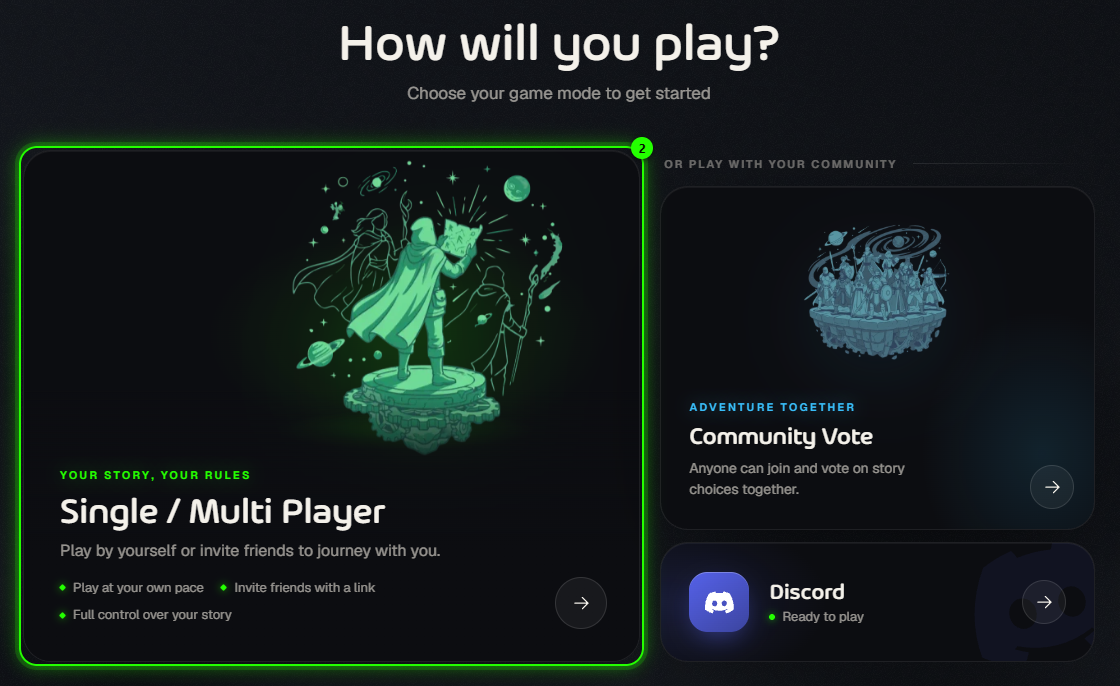
Choose Single / Multi Player. It’s your own story, and you can invite friends into it later.
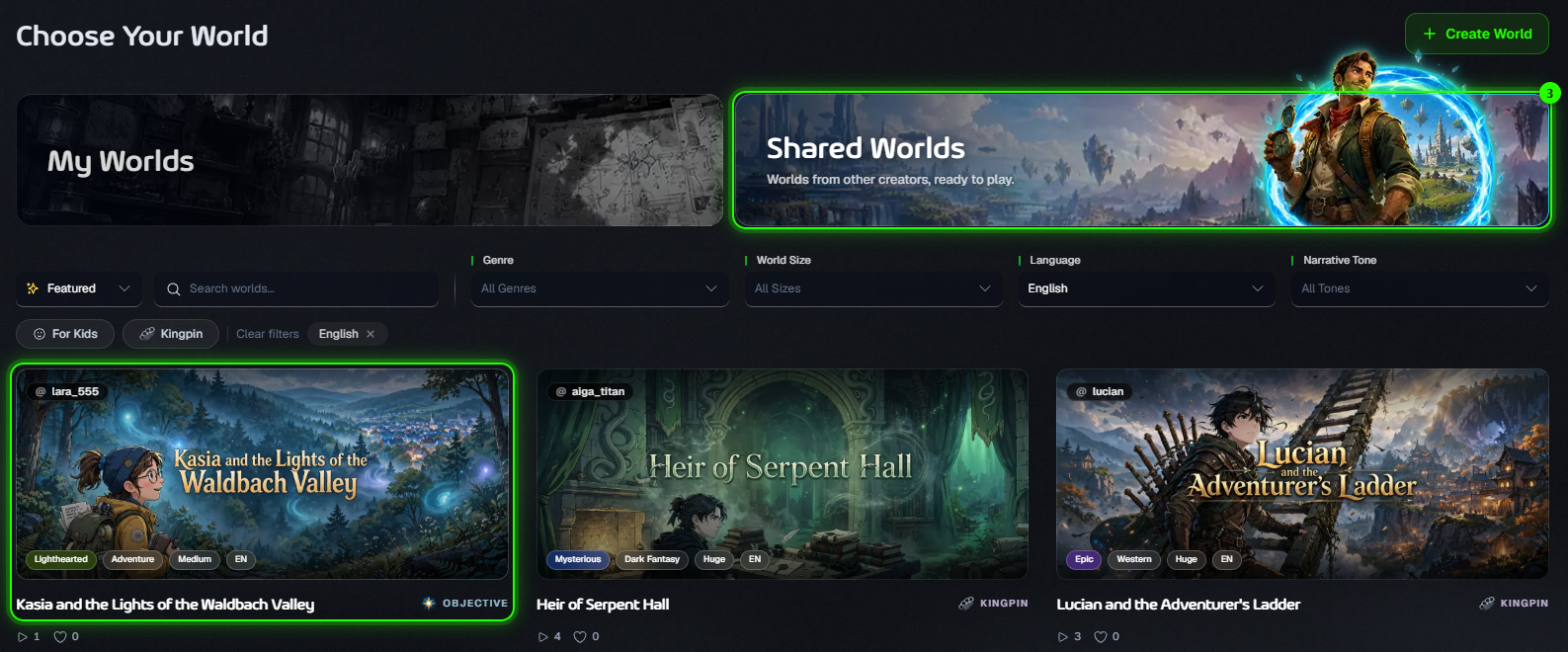
Open Shared Worlds and pick a world that sounds fun. Use the filters to narrow it down by genre, size, language or tone, or try For Kids.
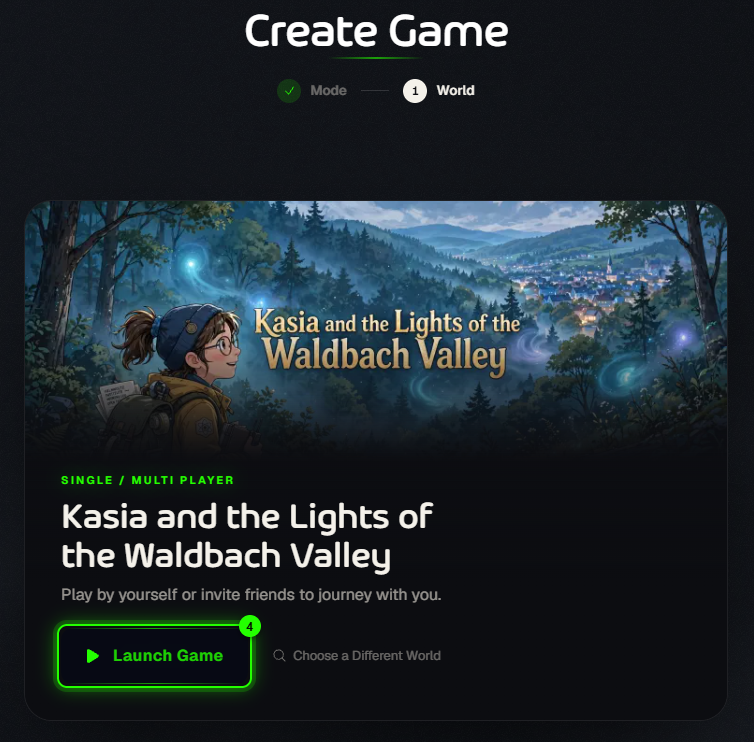
Click Launch Game. At the bottom of the screen you can also set how dangerous fights are with the Showdown setting.
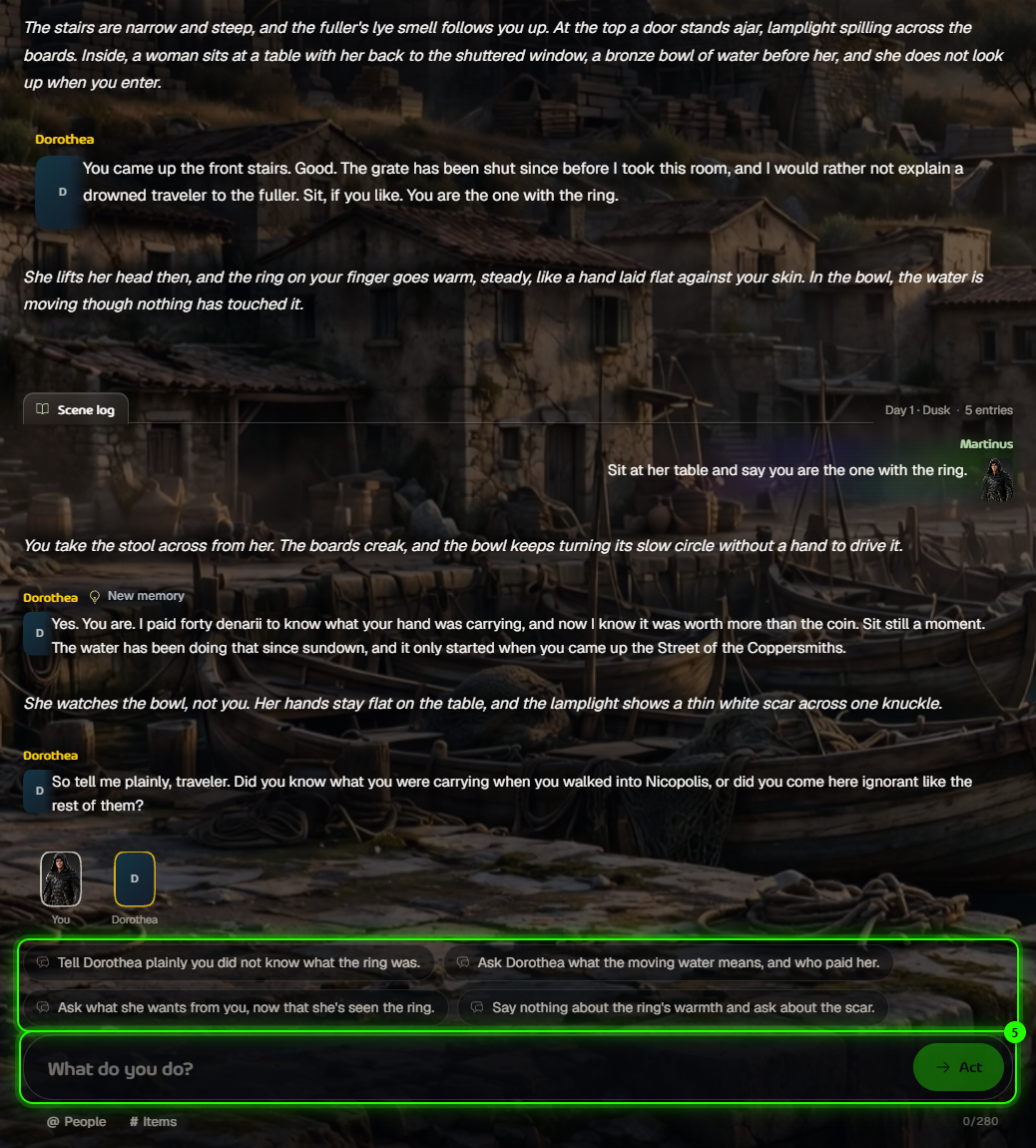
Read the scene, then say what you do. Tap one of the suggestions, or type your own action and press Act.
Tips for your first turns
You can do anything. The suggestions are just ideas. Talk to someone, sneak past, pick a fight, change your mind.
Be specific. “Ask Dorothea who paid her” gets a better answer than “talk”.
Mention people and items. Type @ to name a character or # to use an item from your inventory.
Keep an eye on the right-hand panel. It shows your hero, stats, traits, inventory and where your journey is heading.
Changed your mind? Use Rewind to go back to the start of an earlier turn (not available in Kingpin games).
Play with friends
Invite friends into your game: open Party in the game's settings and send them the link. Everyone plays their own hero in the same story. See Inviting Friends to Play. For a bigger crowd, start a Community Vote game or play on Discord.
Make your own world
Once you know how it plays, build your own: go to Worlds and click Create World. Pick a type, set the language, size and reading age, then describe the story and your hero. Creating a world is free. See Create a World — Step-by-Step.
Free accounts include 4 turns a day, and the count resets at midnight UTC. Paid plans include unlimited text play. See Pricing.
Was this helpful?
Still need help? Ask the team