Deleting Your aiga_ Account
How to permanently delete your aiga_ account from Settings & Billing, and what happens to your worlds, games, media and subscription.
Last updated 17 days ago
You can permanently delete your aiga_ account from Settings & Billing. Deletion can’t be undone, so only start once you’re sure you no longer need your worlds, games, images or connected services.
Steps to delete your account
Sign in to aiga_ and click Account at the bottom of the left sidebar.
Choose Settings & Billing.
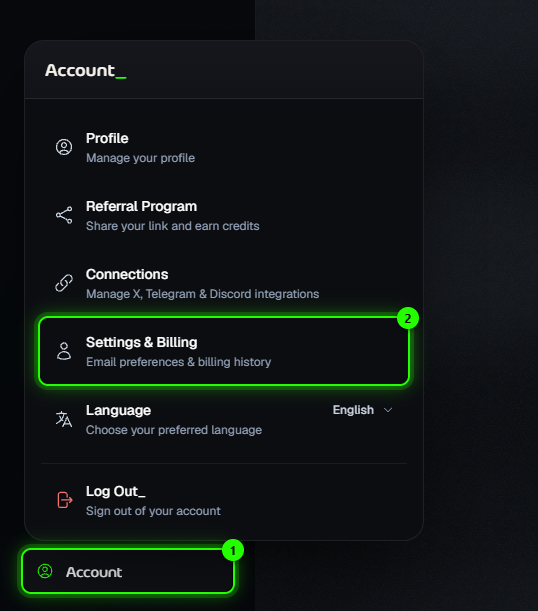
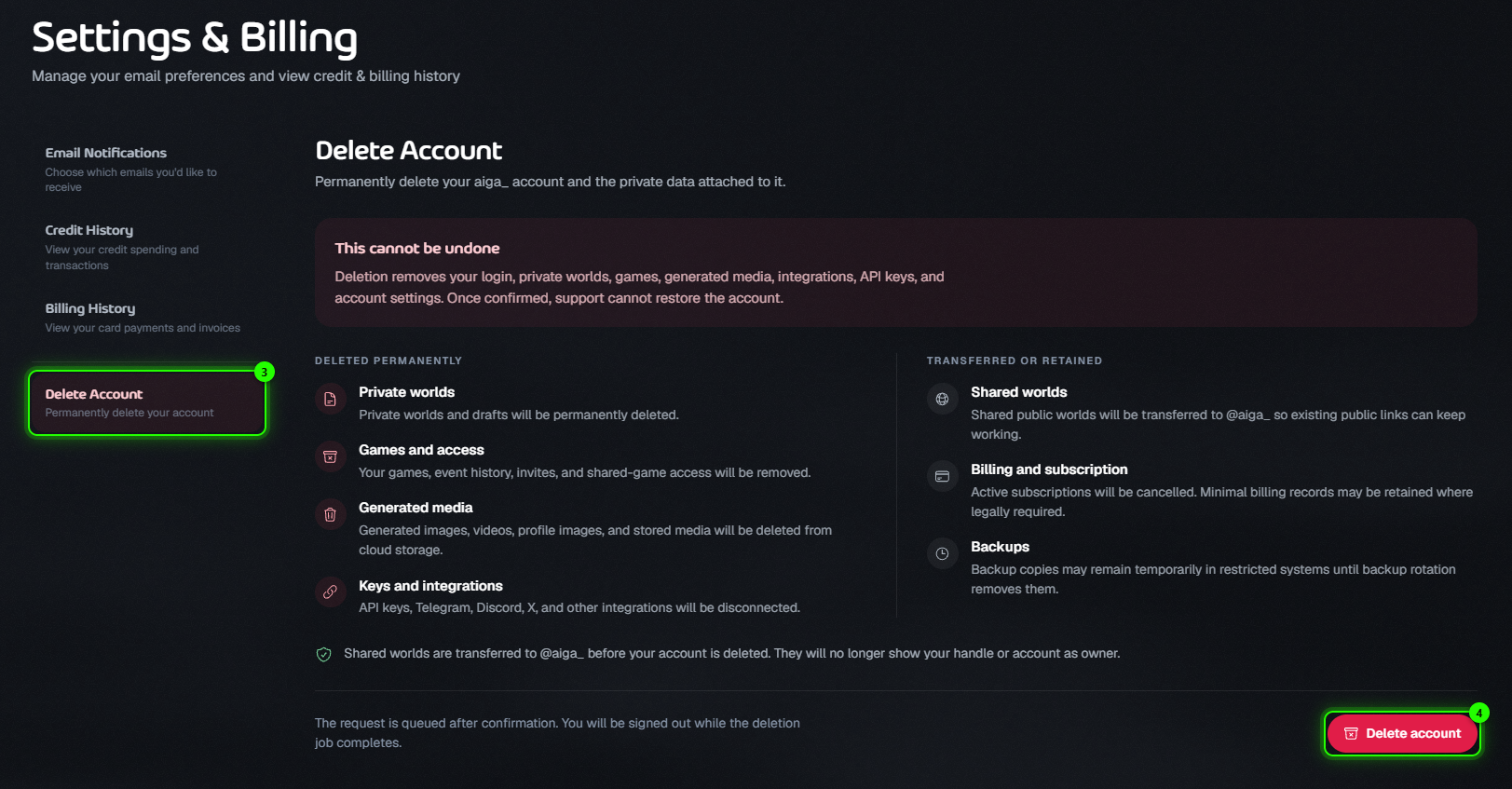
Open the Delete Account tab and read the two lists: what is deleted permanently, and what is transferred or retained.
Click Delete account.
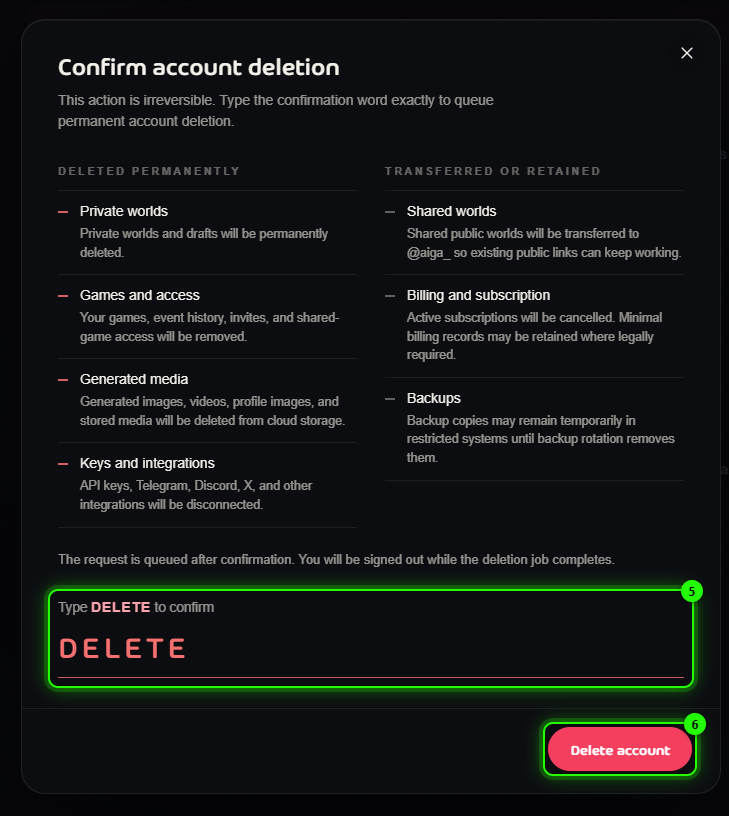
In the confirmation window, type DELETE in the box. The button stays disabled until the word matches exactly.
Click Delete account to queue the deletion.
You can also go straight to the tab: aiga.io/account/settings/delete-account
What happens after you confirm?
Your request is queued straight away and you are signed out while the deletion runs. Public worlds are transferred first, then your private data is removed.
Deleted permanently
Private worlds and their drafts
Games and access: your games, event history, invites and access to shared games
Generated media: images, videos, profile images and other stored media
Keys and integrations: API keys are deleted, and Discord and other connections are disconnected
Your login and account settings
Shared worlds
Worlds you shared publicly are transferred to @aiga_ before your account is deleted, so existing links keep working. After the transfer they no longer show your handle or account as the owner.
Billing and subscriptions
Any active subscription is cancelled. Minimal billing records may be retained where legally required.
Backups
Copies may remain for a short time in restricted backup systems until regular backup rotation removes them.
Account deletion cannot be undone. Once confirmed, support cannot restore your account, worlds, games, generated media, integrations or settings.
Only want fewer emails?
You don’t need to delete your account for that. Choose which emails you get under Account → Settings & Billing → Email Notifications.
Was this helpful?
Still need help? Ask the team