Art Styles for Shared Worlds
The 12 art styles, how one style is shown to players, switching styles, and remaking single pictures.
Last updated 17 days ago
Every picture in a shared world is made in one art style, so the banner, the hero, the characters and the places all look like they belong together. You choose the style when you share, and you can change it later.
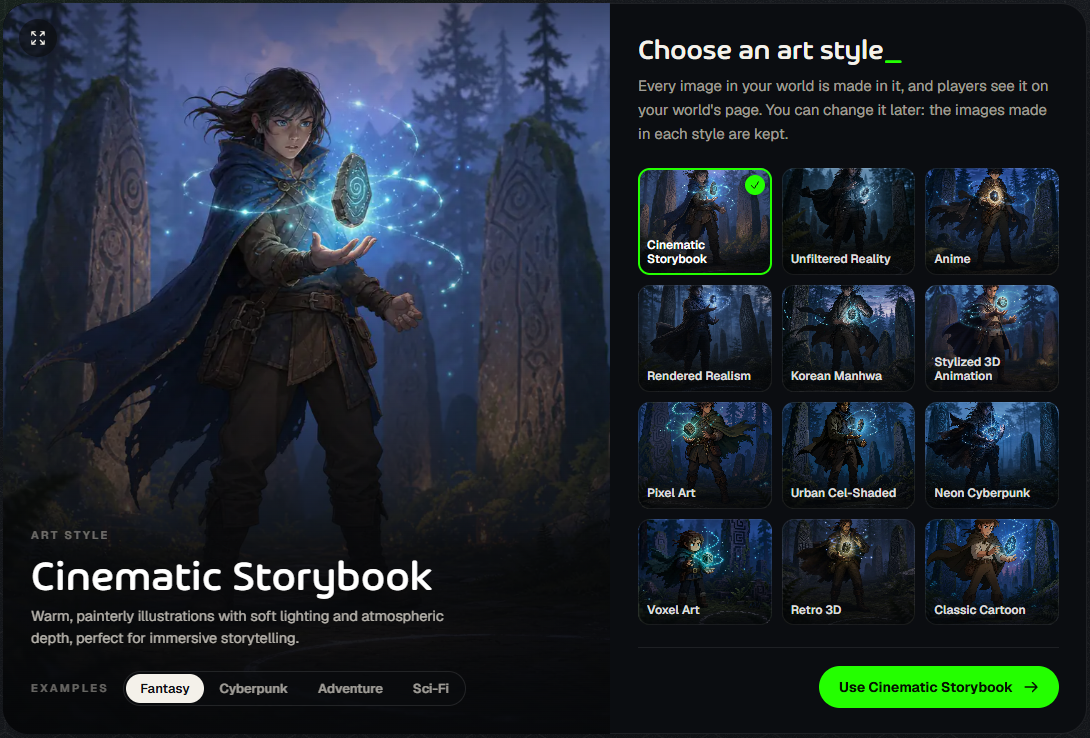
The 12 styles
In the picker, switch between Fantasy, Cyberpunk, Adventure and Sci-Fi examples to see how each style handles different worlds.
How styles work
One public style at a time. Players see your world in the style you shared it with.
Pictures are kept per style. A world can have pictures in several styles. If you switch, the pictures you already made in the old style are kept, so switching back later is free.
Players keep the old style until the new one is ready. A new style needs its own set of pictures, and it only goes public once they’re made.
Change the style of a shared world
Open the world’s Share screen and click Change art style (or Change next to Art style in the panel). Pick a new style, make its pictures, then share it. Pictures in a new style use a free image set if you have one left, otherwise 50 credits each.
Fine-tune single pictures
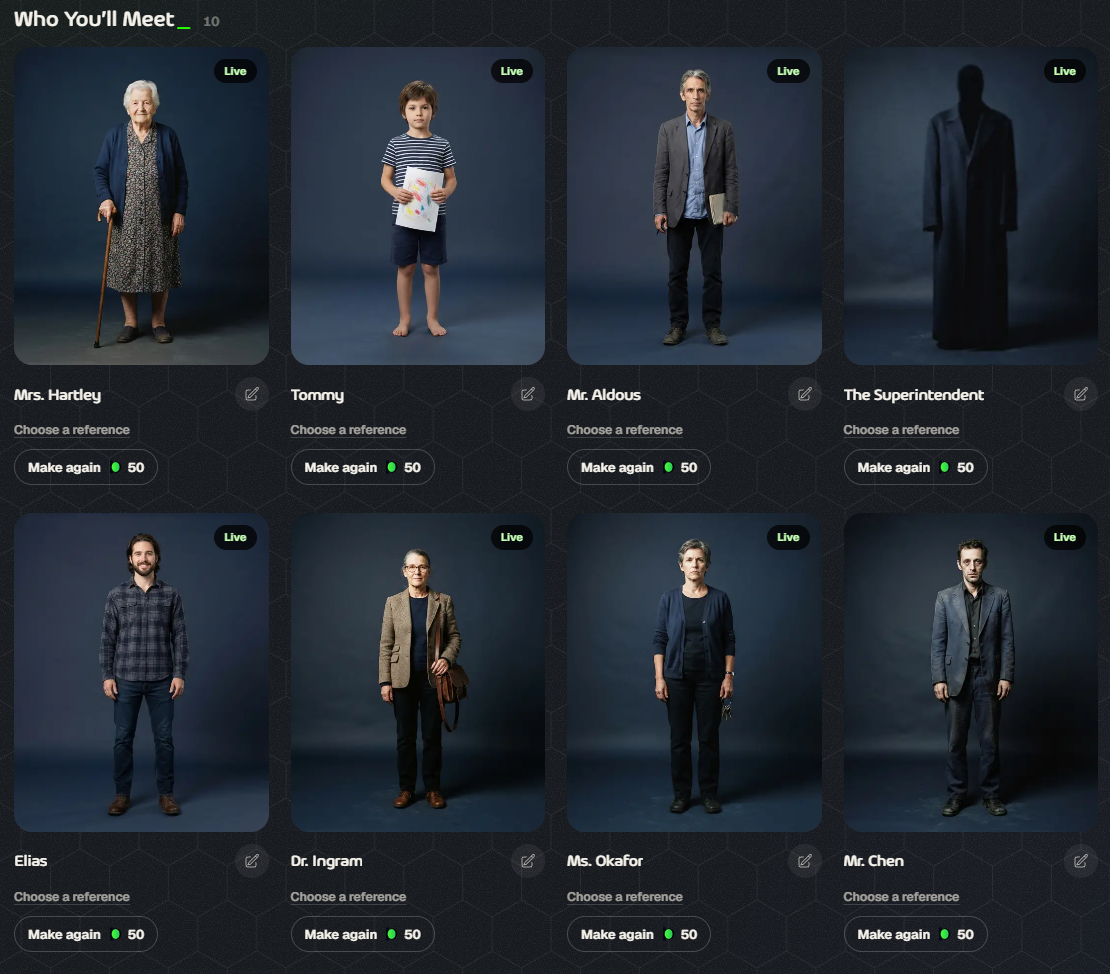
Make again remakes one picture for 50 credits.
Choose a reference guides a picture with one of your own images from My Images, such as a sketch or a photo.
The pencil opens that character, faction or place in the World Editor, so you can change how it’s described before you remake it.
Your own games can use pictures too, in any style. See How does image generation work during gameplay?.
Was this helpful?
Still need help? Ask the team