How does image generation work during gameplay?
When aiga_ paints a scene, how to paint scenes yourself or automatically, art styles, and what pictures cost.
Last updated About 13 hours ago
aiga_ can paint the scenes of your story as you play. Pictures are optional: you can play text only, paint just the moments you care about, or let the game paint every new scene for you.
What gets a picture
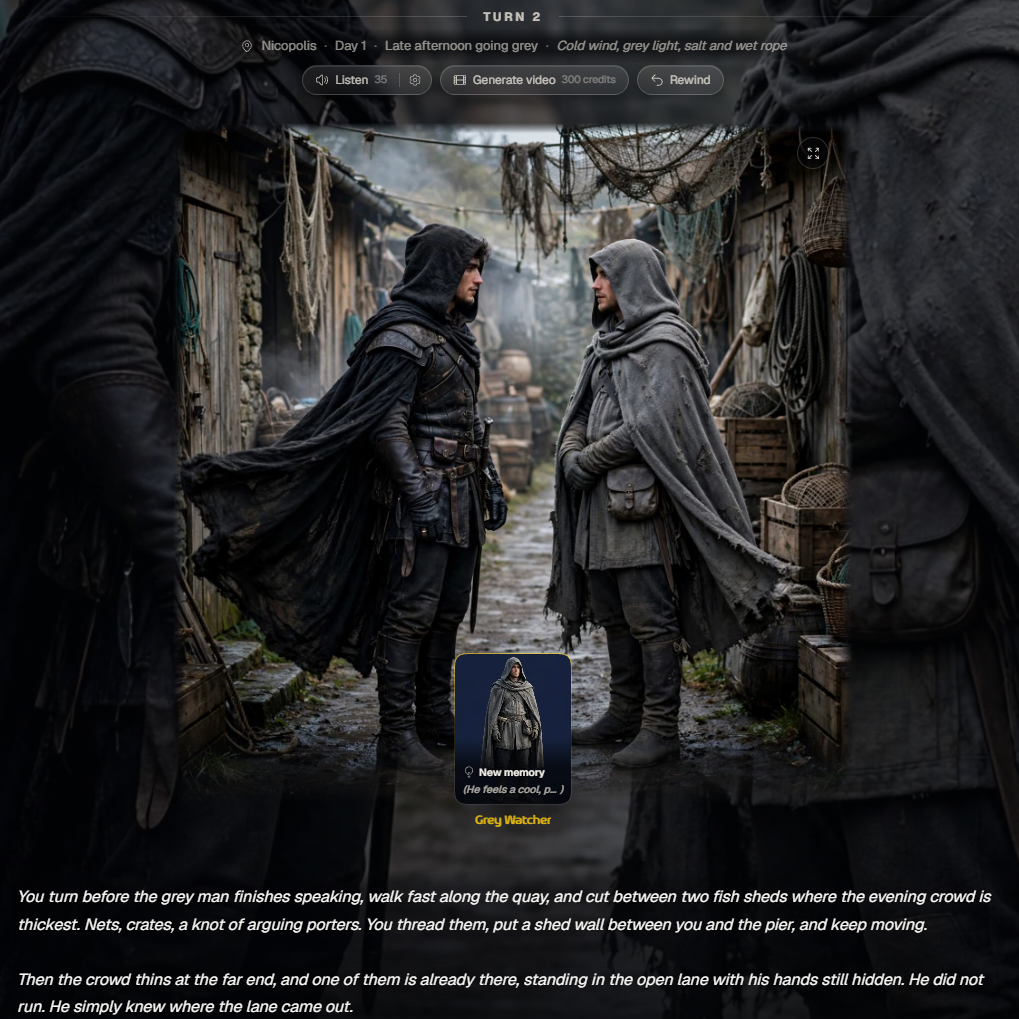
Scenes, not every message. A picture belongs to a new moment in the story: arriving somewhere, meeting someone, a discovery or a sudden danger. Talking, trading or looking around inside the same scene doesn’t get a new picture.
Characters and places. They are drawn the first time they appear in a scene, then reused, so the same person looks like the same person all the way through.
Your hero. Your hero picture comes from My Images: upload yourself, your art, a toy or a pet, or generate one. aiga_ redraws it in the world’s art style.
Pictures in your own games
Games you start with Single / Multi Player are text first. If you start on a Shared World, your hero is ready and the opening scene is painted for free. On your own worlds, click Illustrate your story in the game to choose an art style and your hero.
In a party game, only the game's owner paints scenes and sets up auto-images. Everyone in the party sees the pictures, and each friend's hero is drawn in the game's style.
Paint a scene when you want one
Each scene has a Paint this scene button with its price on it. Use the small gear next to it to choose a picture, or a picture and a short video.
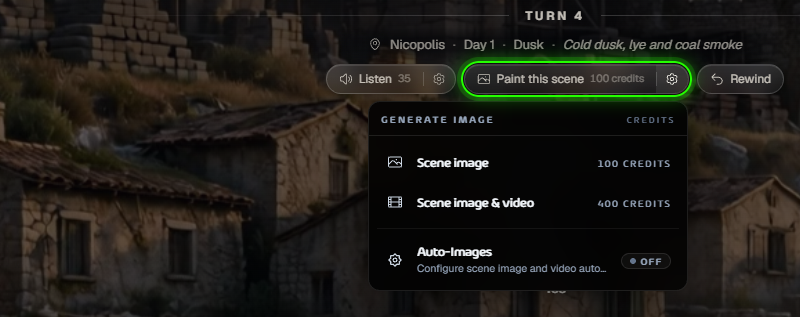
Once a scene has its picture, Generate video turns it into a short clip.
Or paint every new scene automatically
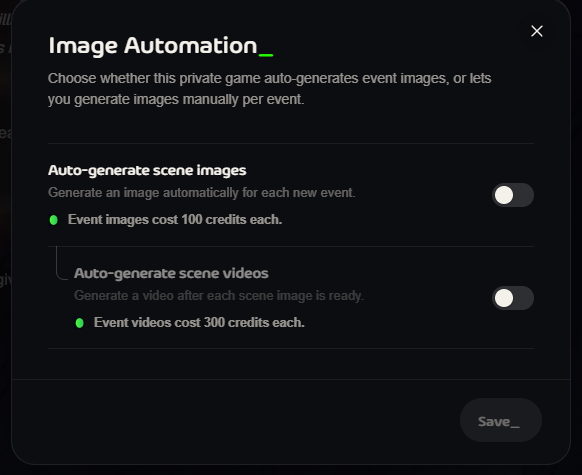
Open Auto-Images from the same menu and switch on Auto-generate scene images. You can also add a video after each picture. Each one costs credits, and the price is shown in the window. Switch it off at any time.
Pictures in community games
When you create a Community Vote or Discord game, you choose its Visual Experience up front:
Pure Text: no pictures, no picture costs.
Storybook: pictures at key moments, like new characters and places. The best value.
Cinematic: a picture for every new scene.
Periodic: a picture every 2, 3, 4 or 5 turns.
You can change this later in the game’s settings.
Art styles
There are 12 styles: Cinematic Storybook, Unfiltered Reality, Anime, Rendered Realism, Korean Manhwa, Stylized 3D Animation, Pixel Art, Urban Cel-Shaded, Neon Cyberpunk, Voxel Art, Retro 3D and Classic Cartoon.
A game keeps one style so its pictures match. Shared Worlds can set the style for you, and once a game has pictures its style is fixed.
What it costs
Pictures and videos use credits. The price is always shown on the button before you click, for example 100 credits for a scene picture in your own game and 300 credits for a video.
Playing text only never costs picture credits.
If a picture fails, your credits go back and the story carries on without it.
Paid plans include monthly credits for pictures and videos. See Pricing.
Want sound too? The Listen button next to Paint this scene reads the story aloud.
Was this helpful?
Still need help? Ask the team