Dice and Achievements
Earn achievements as you play, build and share, unlock new dice, and choose the die you roll with.
Last updated About 1 hour ago
When your hero tries something risky, aiga_ rolls a skill check with a 3D die. You decide what that die looks like. Everyone starts with four designs, and you earn more through achievements as you play, build and share.
Choose your dice
Open Account and choose Profile.
Switch to the Dice collection tab.
Click any unlocked design to equip it. Test roll throws it once so you can see it in motion.
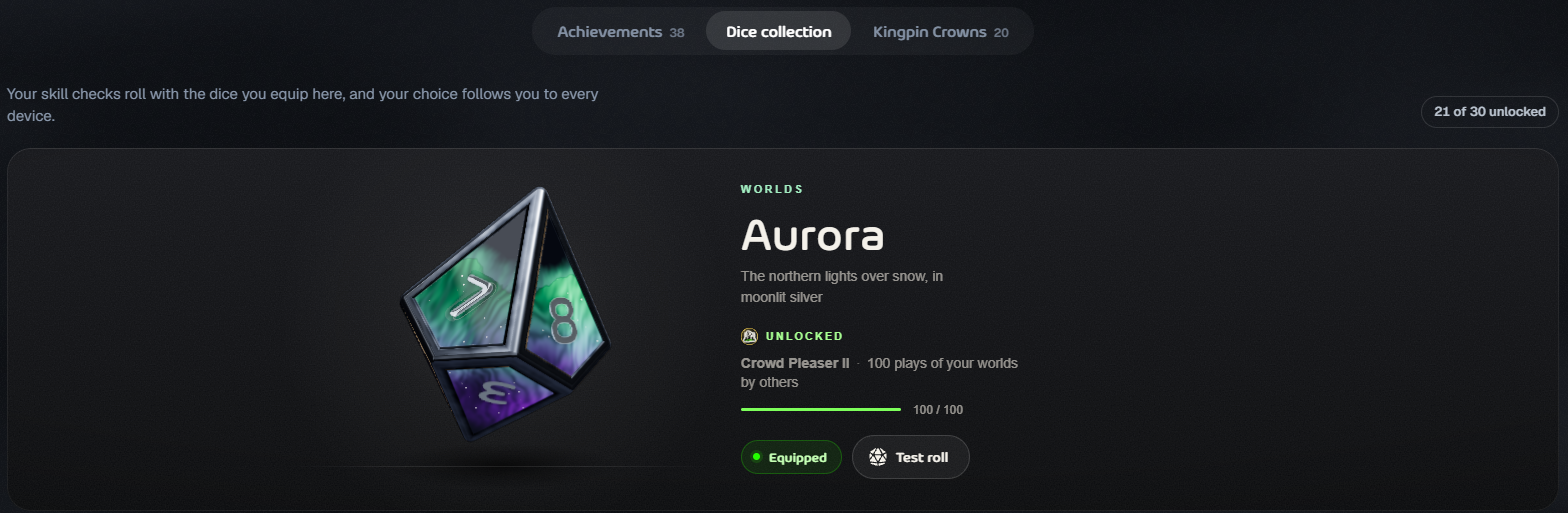
Your choice follows you to every device. You can also switch dice in the middle of a game: open the game’s settings (the gear) and choose Dice design.
Locked designs show what they need and how far along you are, for example 64 / 100.
Where the dice come from
Achievements that unlock dice
Achievements have levels (I, II, III…). Each level asks for a higher count; the numbers below are the counts for each level in order.
Other achievements
These count toward your total but don’t unlock dice:
Finisher: 1, 5, 20, 50 games played to an ending
Jack of All Modes: 2, 3, 4 game modes played
Polyglot: played in 2, 3, 5 languages
Party Host: 1, 10, 50 Discord games run
Portraitist: 1, 10, 50 heroes created
Rising Star: 5, 25, 100, 500 followers
Recruiter: 1, 5, 20 friends joined with your link
Patron: 1, 5 worlds sponsored
Progress counts on its own while you play; there is nothing to claim. When you reach a new level you get a notification, and any dice it unlocks are ready to equip straight away. The Achievements tab on your Profile shows every achievement, grouped into Playing, Dice feats, Creating and Community.
Kingpin Crowns
The Kingpin Crowns tab lists the Kingpin crowns you’ve won and the leaderboards you lead right now. Top a Kingpin leaderboard to win your first.
Was this helpful?
Still need help? Ask the team