Create a World — Step-by-Step
Create your own world in four steps: type, setup, story, then generate. It's free.
Last updated About 3 hours ago
You don’t need to write a whole world to make one. Pick how it plays, set its size and language, describe your hero and the story in a few sentences, and aiga_ builds the rest: places, characters, factions and the story path. Creating a world is free.
Go to Worlds and click Create World.
Step 1: World Type
Choose how your world plays. Each card shows its goal, how it ends, what’s at stake and whether it has to be shared.
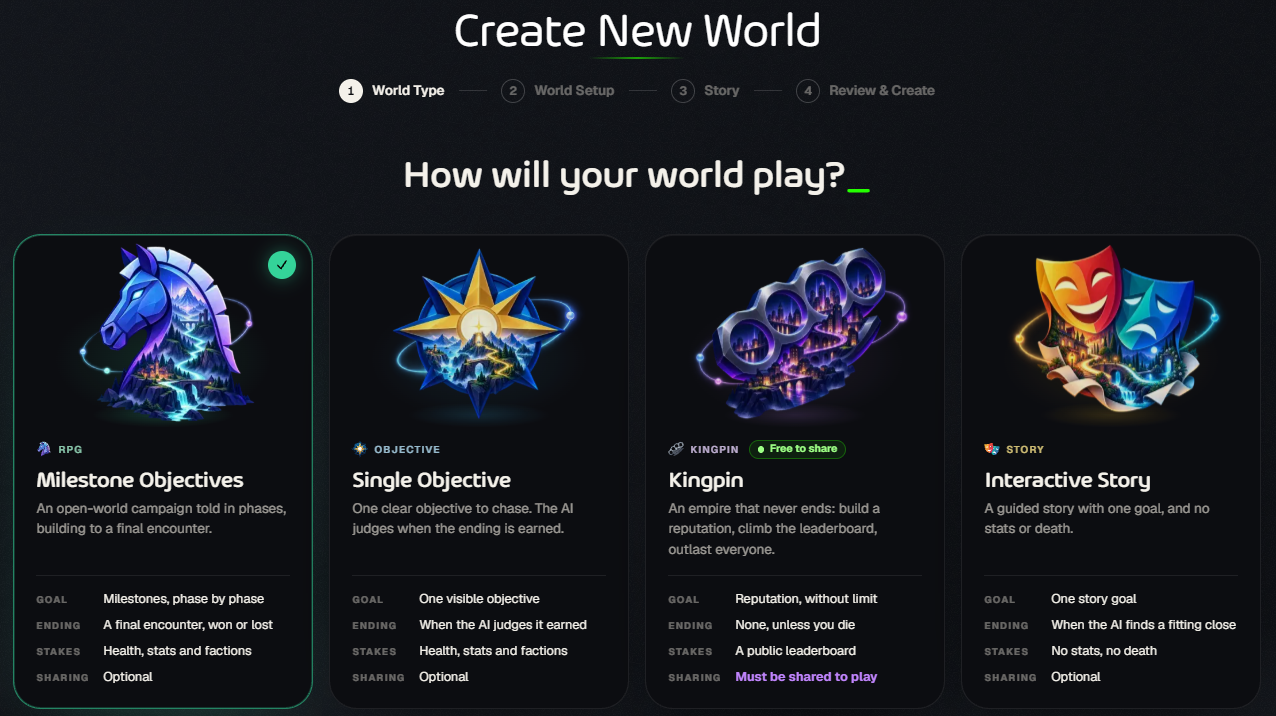
Not sure? Milestone Objectives (RPG) is the classic adventure. See World Types for the details of each.
Step 2: World Setup
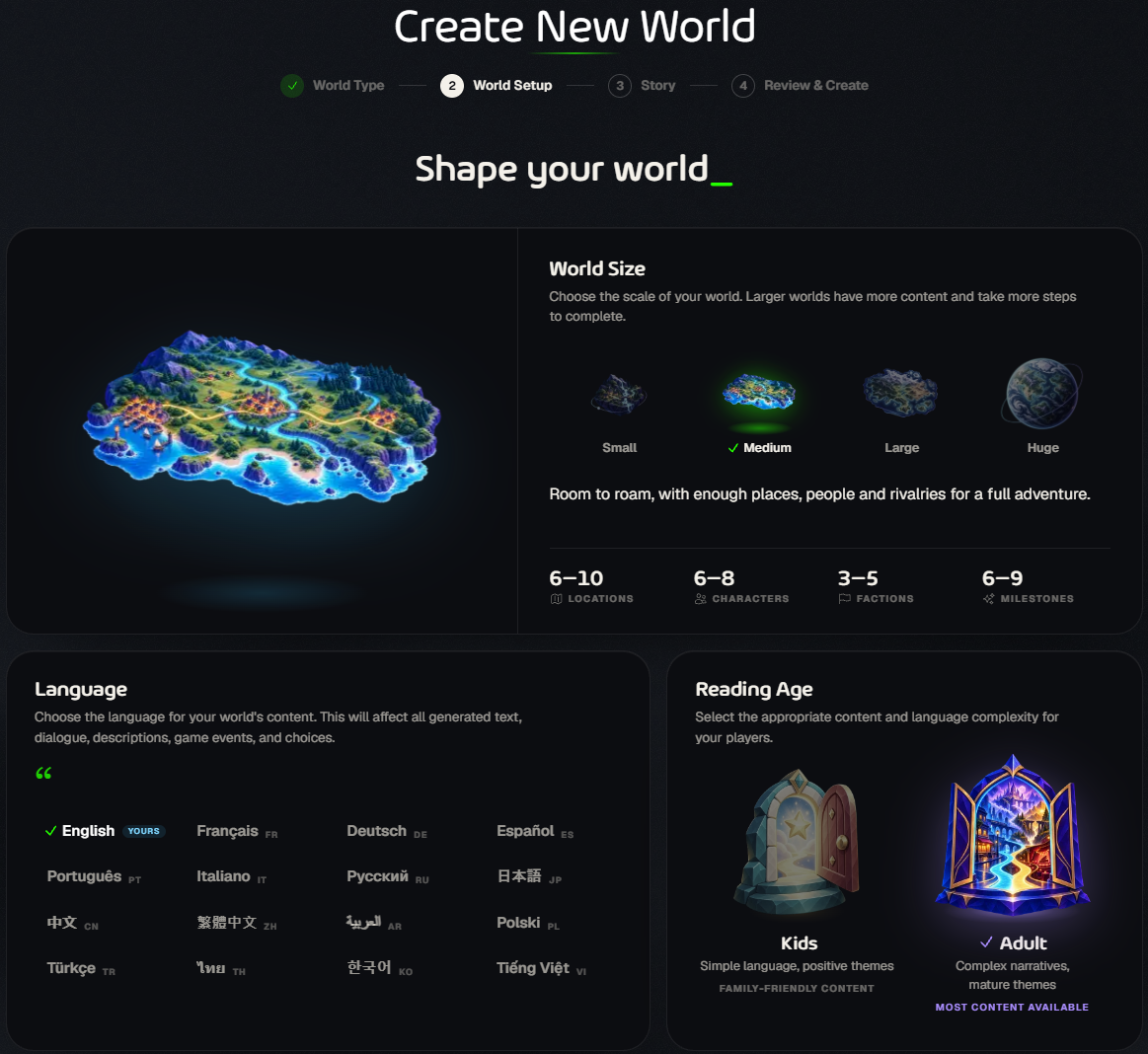
World Size decides how much there is to discover and how long the adventure runs:
Language: everything in the world and its games is written in it. There are 16 to choose from.
Reading Age: Kids keeps the language simple and the themes positive. Adult allows complex stories and mature themes.
Step 3: Story
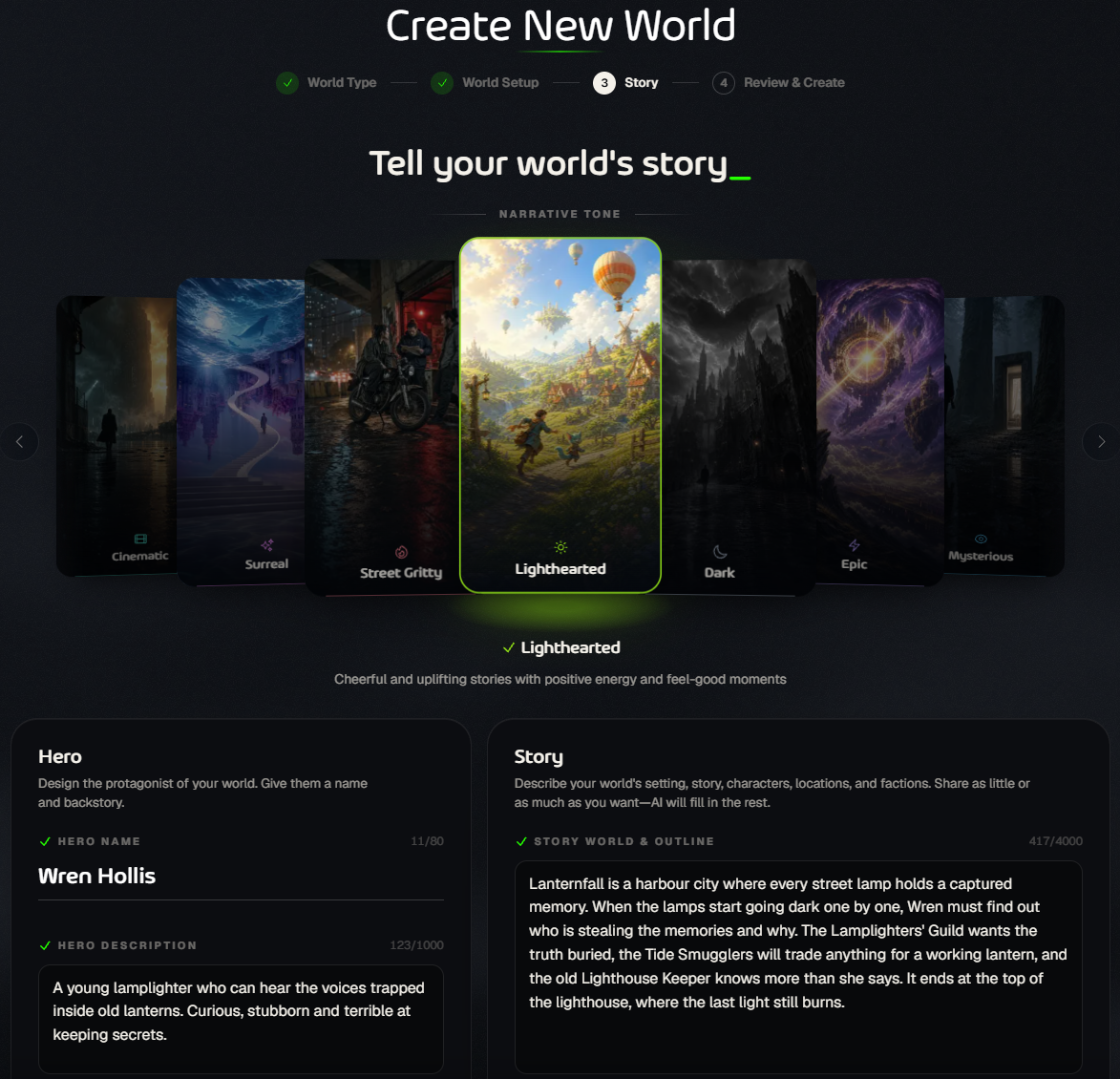
Narrative Tone: drag or click through the cards, from Lighthearted and Wholesome to Dark, Gritty or Surreal. Some tones are hidden for Kids worlds, and Risque (18+) asks you to confirm your age. Narrative Tones explains each one.
Hero: a name and a short description of who your hero is.
Story: describe the setting and the adventure. 50 to 200 words is plenty; aiga_ fills in what you leave out.
Tip: A good outline names a place, a problem and an ending. Say where it happens, what goes wrong, who wants what (name a few characters or groups), and where it should end. The Writing Guide under the outline has examples you can add with one click.
Step 4: Review & Create
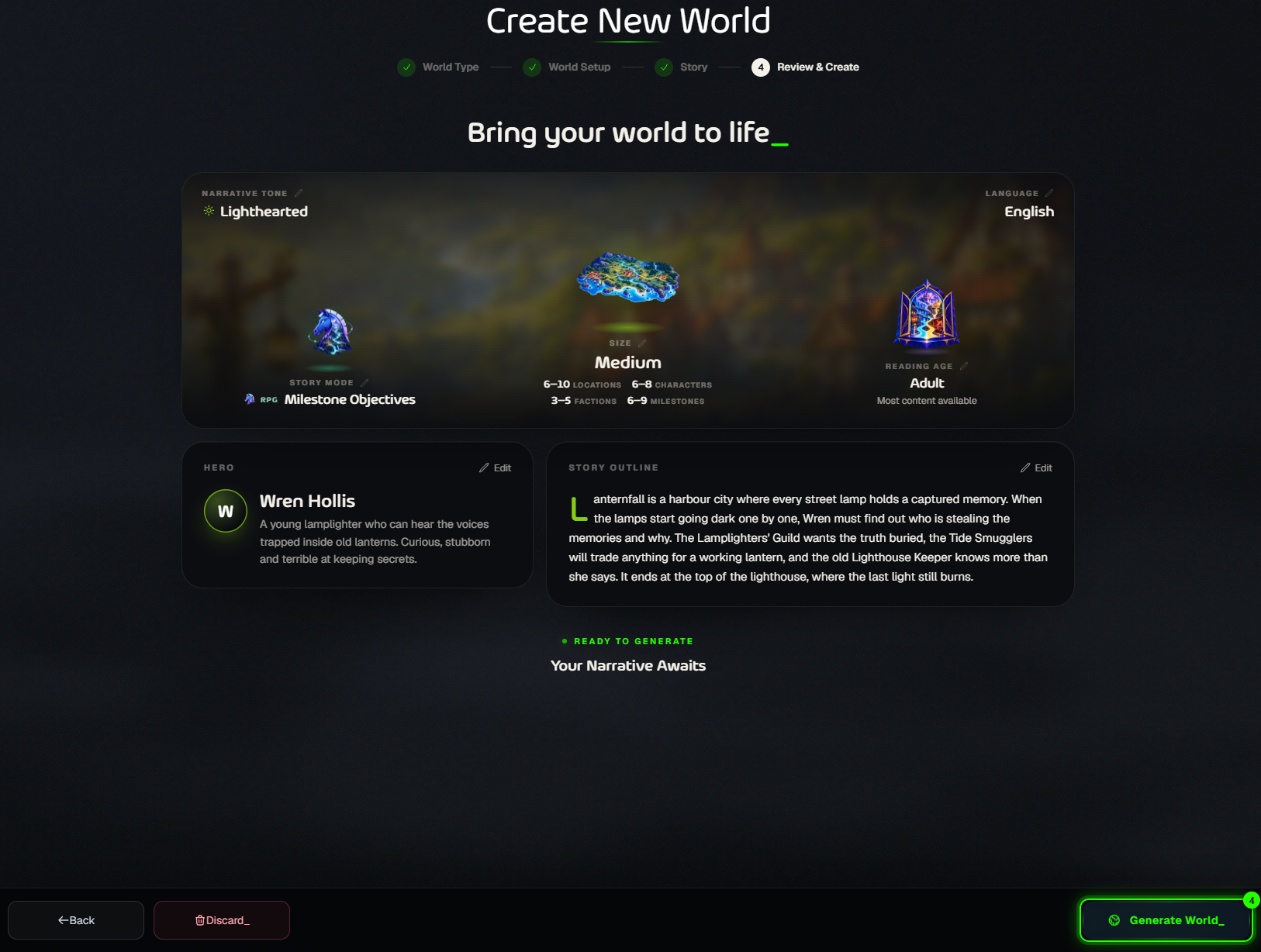
Check your choices, use Edit to change anything, then click Generate World_.
After you click Generate
Your new world opens and shows Creating World…. It usually takes up to a minute, and you’ll get a notification when it’s ready.
aiga_ writes the places, characters, factions, your hero’s stats and items, and the story path. Pictures come later: you make them in the World Editor or when you share the world.
If generation fails, the world card shows it. Click Edit & Retry to adjust your outline and try again.
Next steps
Play it: click Play on the world page to start a game.
Make it yours: click Edit World to change anything in the World Editor. See The World Editor: a quick tour.
Share it: publish it so anyone can play. See How to Share a World.
Was this helpful?
Still need help? Ask the team