How to Share a World
Put your world in Shared Worlds: choose an art style, pass the checks, and go live. What it costs and what happens next.
Last updated About 2 hours ago
Sharing puts your world in Shared Worlds, where anyone can find it and start their own game. Everything happens on one screen: pick an art style, check the panel on the right, and press Share world. aiga_ checks the story, makes the pictures and puts it live.
Before you start
Your world needs to pass its checks. If the World Editor shows To fix, fix those first.
Worlds with the Risque (18+) tone can’t be shared.
Kingpin worlds must be shared before anyone can play them, and once shared they stay shared and can’t be edited. See World Types.
Share your world
Open your world and click Share World. You can also click Share on its card in My Worlds, or switch the World Editor from Edit to Share.
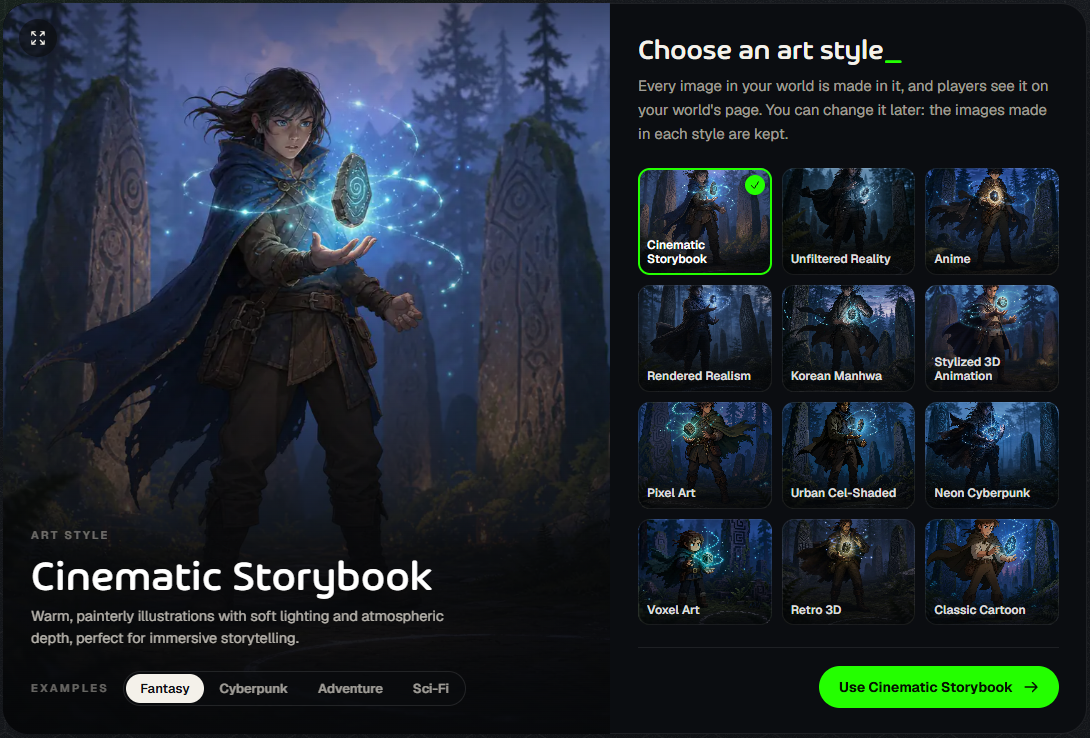
Choose an art style. Every picture in your world is made in it, and players see it on your world’s page. Flip through the Examples to see each style, then click Use and the style’s name.
Check the panel on the right. It shows the version you’re sharing, what it will cost, the Checks, and your public creator name, which you set once, the first time you share anything.
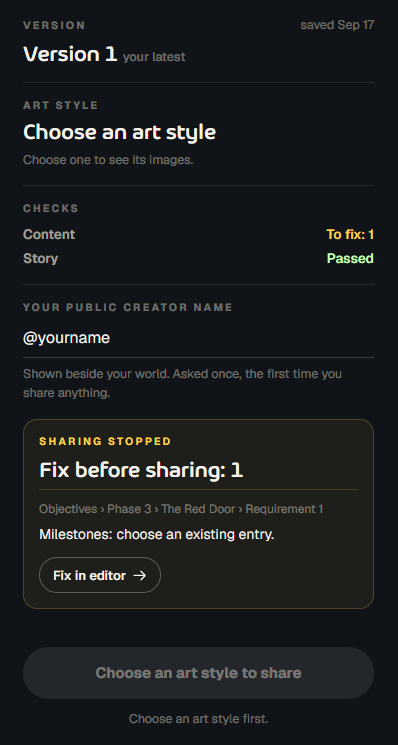
Press Share world. aiga_ saves your changes, runs the checks, asks you to confirm any credits, makes the missing pictures and puts your world live. You can leave the page: the first time you share, it finishes on its own.
The checks
Content: reads your story, characters, places and picture directions against aiga_’s content rules for your world’s audience and tone. It changes nothing and is free.
Story: looks for contradictions between characters, places, factions and objectives, and checks that the hero’s start makes sense. If you haven’t changed the generated story, it’s skipped.
If a check finds something, sharing stops and nothing is spent. The panel says Fix before sharing and lists each problem with a Fix in editor button. Fix them, then press Share world again.
What the pictures cost
Sharing needs a full set of pictures in your chosen style: the world banner, the hero, and every character, faction and place. The panel shows the cost before you press the button.
Free image sets. The first time you share a world, its picture set can be free. You get one free set a day (it resets at midnight UTC). Free accounts get three in total; subscribers have no total limit.
Otherwise, each picture costs 50 credits. You can also make or remake single pictures yourself, for 50 credits each.
If you don’t have enough credits, sharing stops and nothing is spent.
When it’s live
Your world now appears in Shared Worlds. The Share screen turns into its control room:
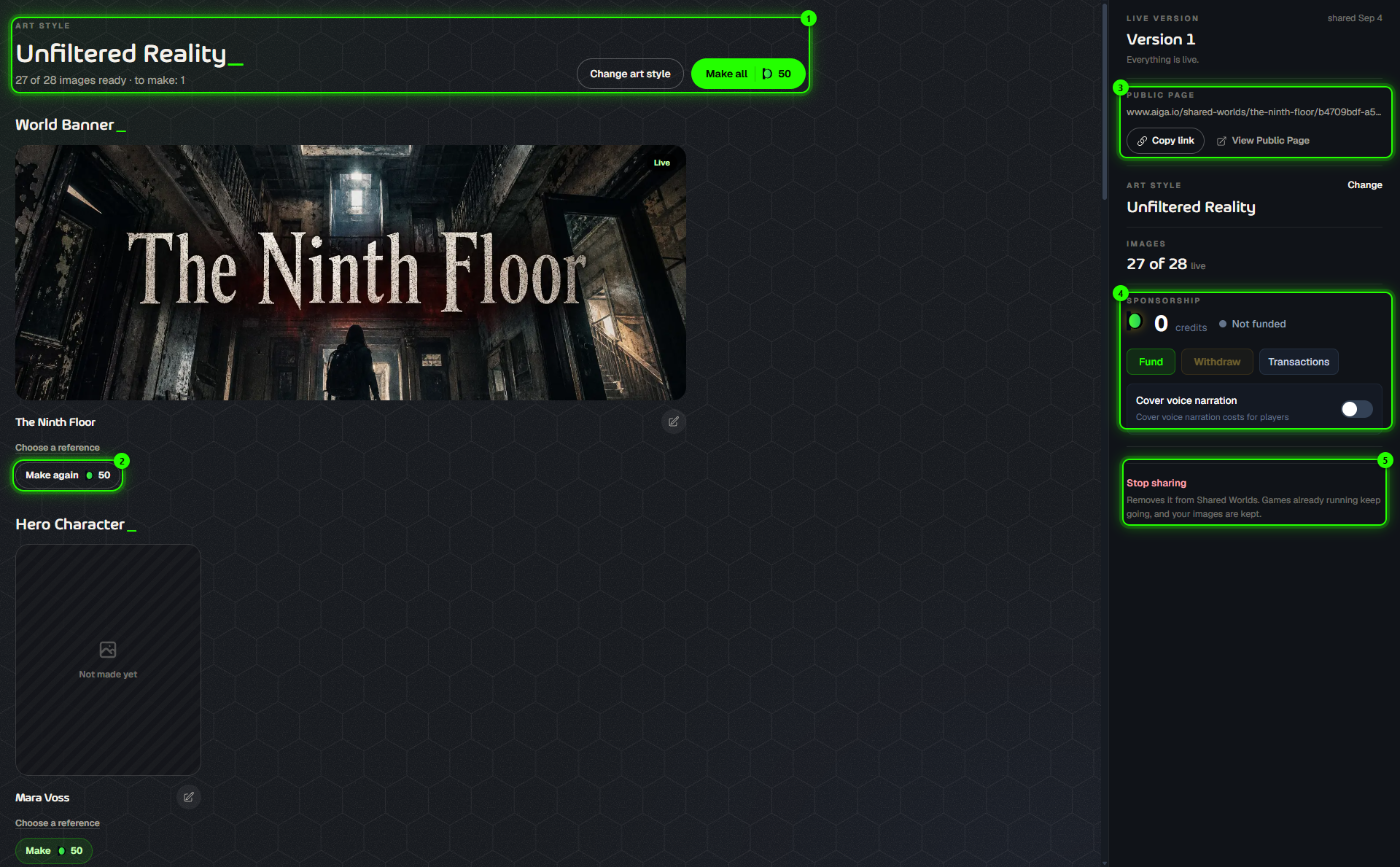
Art style and pictures: how many are ready, Change art style, and Make all for any that are missing.
Make again: remake a single picture. Choose a reference lets you guide it with a picture from My Images.
Public page: Copy link to send your world to friends, or View Public Page.
Sponsorship: pay for other players’ games so they can play for free. See Sponsorship.
Stop sharing: removes the world from Shared Worlds. Games already running keep going, and your pictures are kept.
Editing a shared world: keep editing as usual. Your changes aren’t public until you share the new version from this screen. New games then start on the new version; games already running stay on theirs.
Was this helpful?
Still need help? Ask the team