Discord Commands and Troubleshooting
What /setup, /games and /language do, every game control button, and fixes for common bot messages.
Last updated About 1 hour ago
The aiga_ bot has three slash commands. All of them are for server admins (Administrator or Manage Server permission), and the bot’s replies are only visible to you.
/setup
Links the server to your aiga_ account with your integration key. Run it when you connect a server for the first time, after you regenerate your key, or if the bot says the integration wasn’t found.
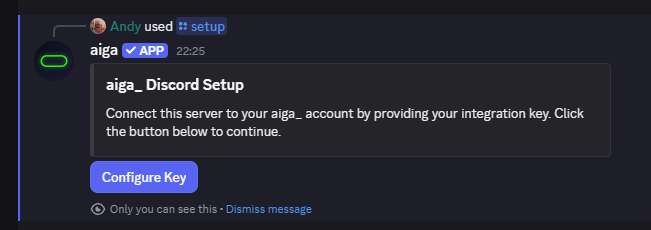
Click Configure Key, paste the key and submit. Step-by-step: Connect Discord to aiga_.
/games
Your control panel for the games in this server. Pick a category, then a game, to see its buttons.
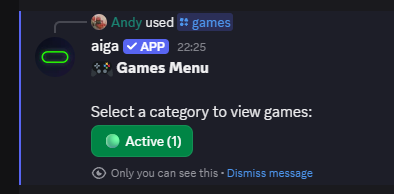
⏸️ Pause Game stops new events and voting until you resume.
🔧 Fix Stuck Event pushes the game on to its next step when an event or vote seems frozen. Give it a moment to take effect.
📖 Show Latest Event posts the current event again, for example after it scrolled far up or a post failed.
/language
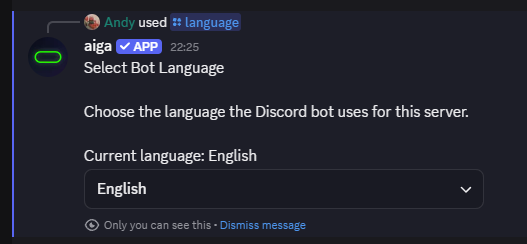
Sets the language the bot uses in this server. Choose one of 14 languages from the list; the bot confirms with ✅ Language updated.
Common messages and fixes
Votes aren’t moving the story on. Voting closes when the timer ends or the vote count is reached. If the timer ended with no votes, the story waits for at least one vote. If it still doesn’t move, use 🔧 Fix Stuck Event.
The game card in aiga_ says Connect to enable. Your server isn’t linked yet. Finish /setup in Discord.
Still stuck? Write to support@aiga.io with your server name and the game’s name.
Was this helpful?
Still need help? Ask the team