Deleting Your aiga_ Account
Last updated 4 months ago
You can permanently delete your aiga_ account from Settings & Billing. Account deletion is irreversible, so only start this process when you are sure you no longer need access to your worlds, games, media, integrations, or account data.
Steps to Delete Your Account
Sign in to aiga_.
Open the settings menu.
Click Settings & Billing.
Select the Delete Account tab.
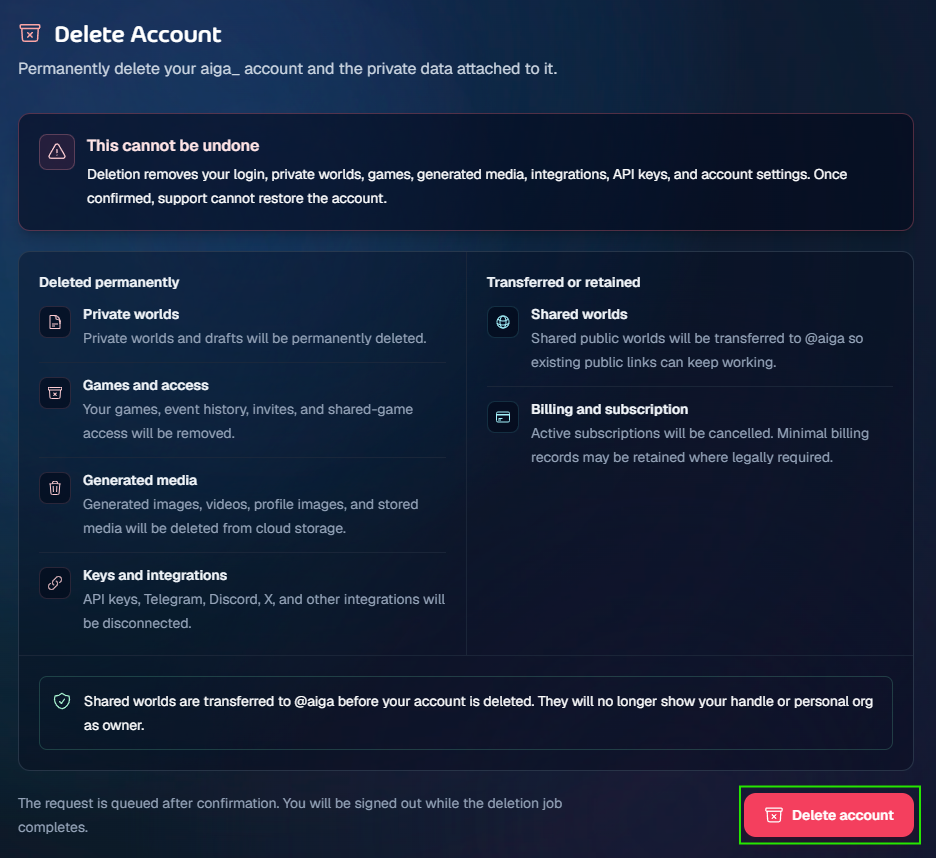
Review what will be deleted, transferred, or retained.
Click Delete account.
In the confirmation window, type DELETE exactly.
Click Delete account again to queue the deletion.
You can also go directly to:
https://aiga.io/account/settings/delete-account
What Happens After You Confirm?
Your account deletion request is queued immediately. You will be signed out while the deletion job completes.
Deletion removes:
Games, event history, invites, and shared-game access
Generated images, videos, profile images, and stored media
API keys and integrations, including Telegram, Discord, X, and other connected services
Account settings and login access
Shared Worlds
If you have public Shared Worlds, they are transferred to @aiga before your account is deleted. This helps keep existing public links working.
After transfer, those worlds will no longer show your handle or personal organisation as the owner.
Billing and Subscriptions
Any active subscription is cancelled during account deletion. Minimal billing records may be retained where required for legal, tax, fraud-prevention, or regulatory reasons.
Account deletion cannot be undone. Once confirmed, support cannot restore your account, private worlds, games, generated media, integrations, or account settings.