Worlds in aiga_: an overview
What a world is, where to find worlds, what's inside one and what you can do with it.
Last updated About 3 hours ago
A world is where your adventures happen: its places, its people, the groups that pull them in different directions, and the story your hero sets out on. You play a world by starting a game in it, and one world can host as many games as you like.
Find worlds
Open Worlds in the left sidebar.
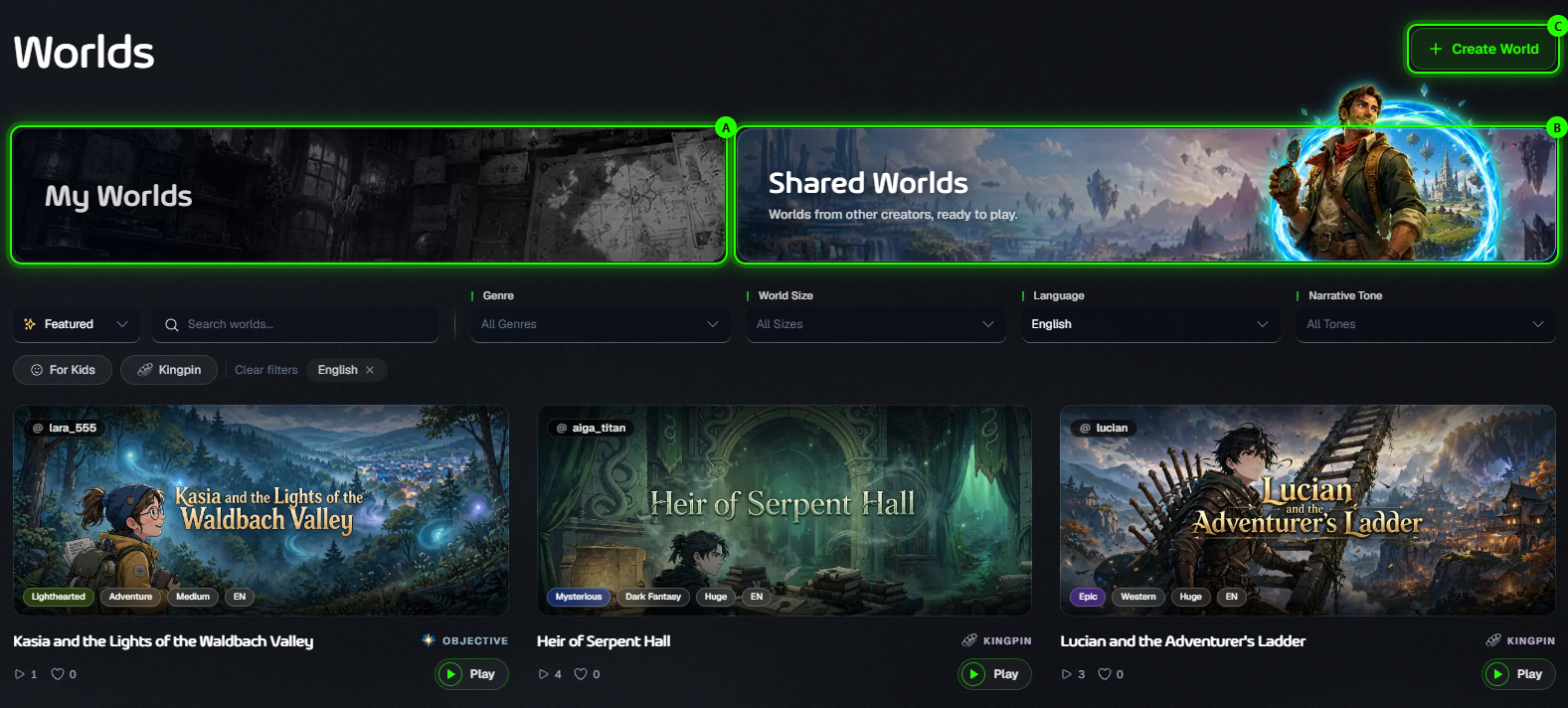
A · My Worlds: worlds you created. They are private until you share them.
B · Shared Worlds: worlds other players have published, ready to play. Sort them, search, and filter by genre, size, language and tone, or show only worlds For Kids or Kingpin worlds.
C · Create World: build your own from a short story outline. It’s free.
What’s inside a world
The world: its name, premise, tone and setting.
Your hero: the character every game in this world starts with.
Places to explore, and the characters who start in them, each with their own personality, attitude, stats and items.
Factions: groups with goals of their own that can be allies or enemies.
The story path: the phases and finale (or single objective) that give the adventure its shape, and the milestones that unlock them.
The world page
Click a world to open its page. Here you can read everything in it, start a game, and, if it’s yours, edit or share it.
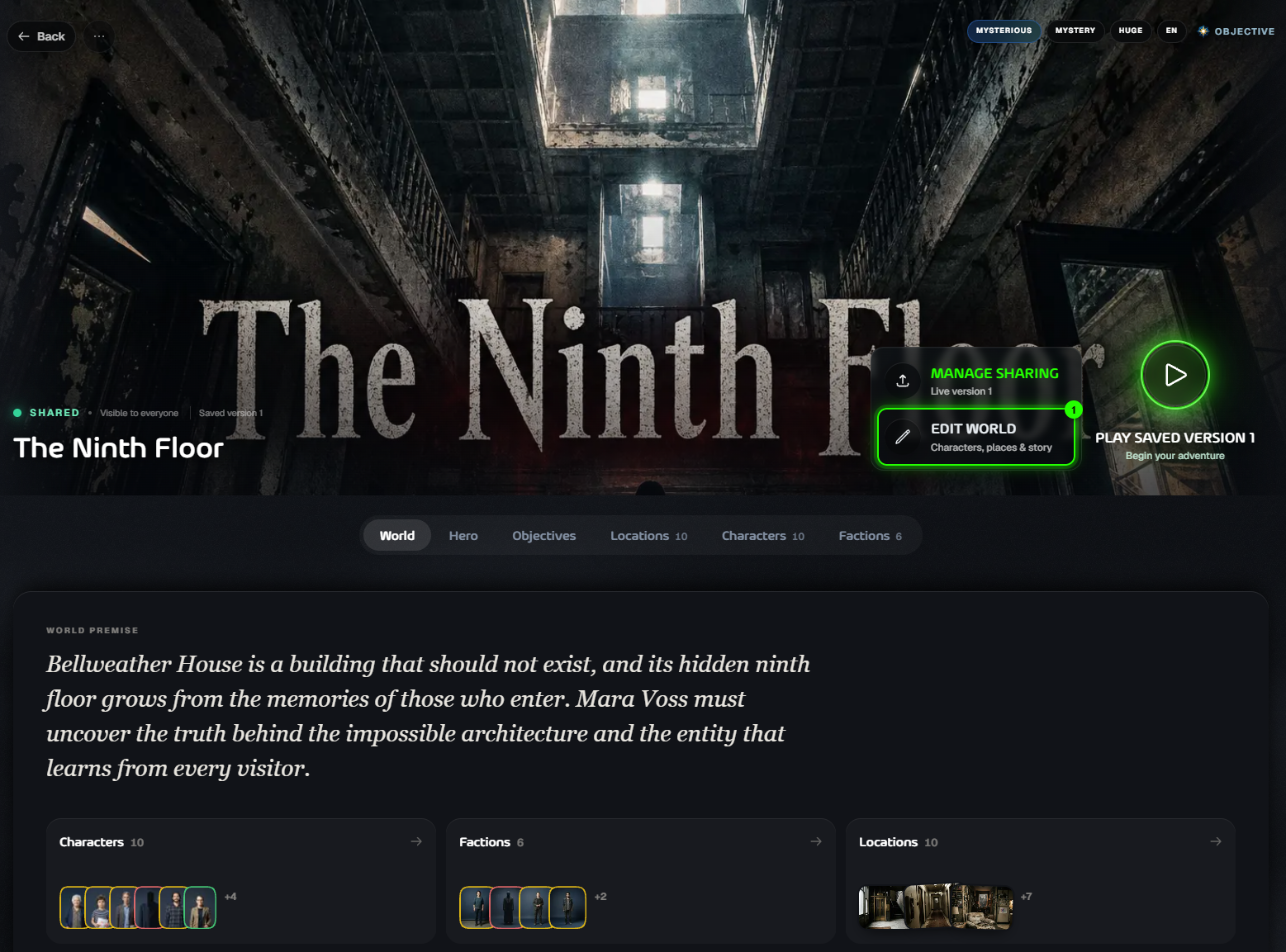
Play starts a new game in this world.
Edit World opens the World Editor, where you can change anything in your world.
Share World (or Manage Sharing once it’s public) publishes your world to Shared Worlds.
The tabs underneath list the world’s hero, objectives, locations, characters and factions.
Where to go next
Was this helpful?
Still need help? Ask the team