How to Cancel Your Subscription
Cancel any time from Pricing. What stays, what changes, how to resume, and refunds.
Last updated About 13 hours ago
You can cancel your subscription at any time, with no fees. You keep everything your plan gives you until the end of the period you’ve paid for.
Cancel your subscription
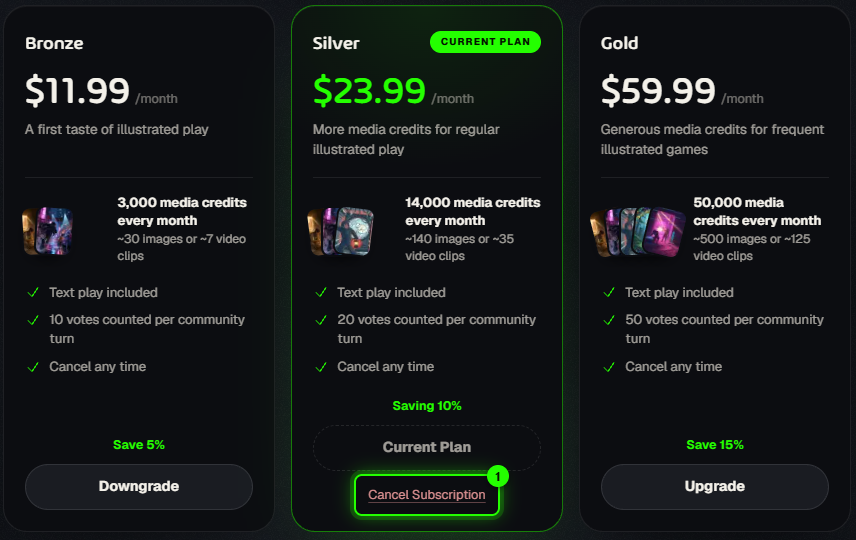
Open Pricing in the left sidebar. Your plan is marked Current Plan.
Click Cancel Subscription under it.
Tell us why: choose a reason and add a short comment. Both are needed, and they really help us improve.
Click Confirm cancel. Changed your mind? Click Keep subscription instead.
What happens next
Your plan card shows Cancels on and the date. Until then everything works as before: free text play, your plan’s votes, your party seats and your team.
On that date your account goes back to the free tier, with 4 free turns a day. Any team members you added lose access, and party games you host go back to 2 players: the newest guests sit out until a seat opens.
Your credits stay. Whatever is in your balance is still yours to spend on pictures, videos or extra turns.
Changed your mind?
Before the end date, open Pricing and click Resume Subscription on your plan. It carries on as if nothing happened. After the end date, just subscribe again.
Refunds
Refunds are handled case by case. Email support@aiga.io and tell us what happened.
Thinking of switching instead? You can move to a cheaper plan straight from Pricing. See Subscriptions: Plans and What They Offer.
Was this helpful?
Still need help? Ask the team